In the preceding articles, we’ve been using Xcode as a tool for creating, developing, and fetching Swift packages. At the end of the day, the program doing the heavy job is SPM. Xcode interfaces with it, providing a nice GUI.
In this article, we’ll take a closer look at SPM itself, an independent program belonging to the Swift project. We’ll explore its main commands by building and releasing a trivial swift executable.
Main commands
If we type man swift in the terminal, it’ll display the manual page for Swift:
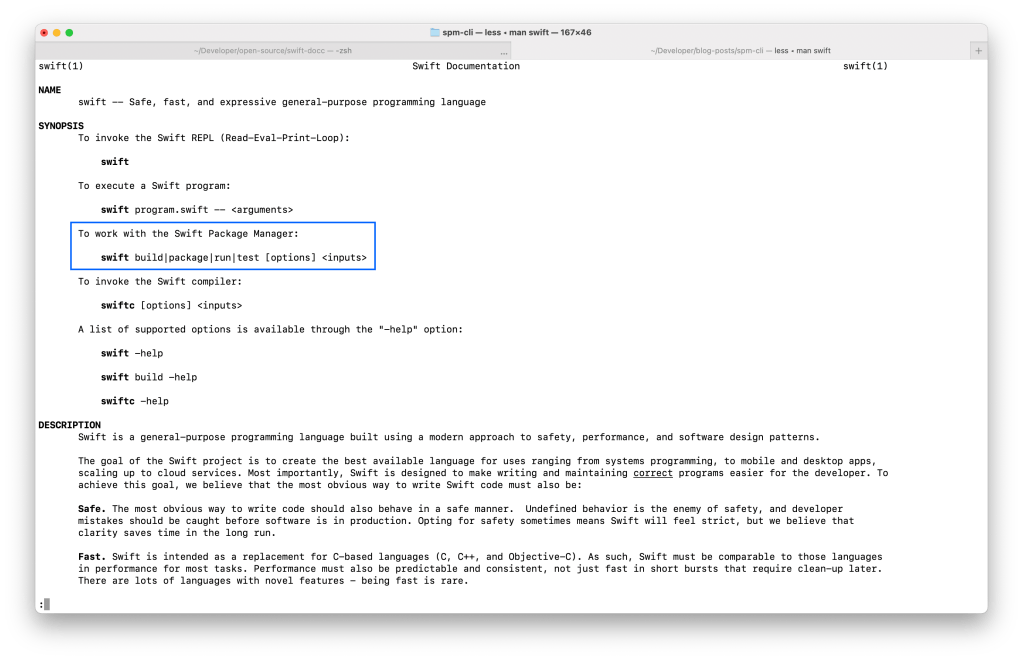
As we can see, the commands for controlling SPM are:
buildtestrunpackageand its subcommands
If we type swift package in the terminal, it lists the following sub-commands (notice how many they are, as opposed to the three commands Xcode provides):
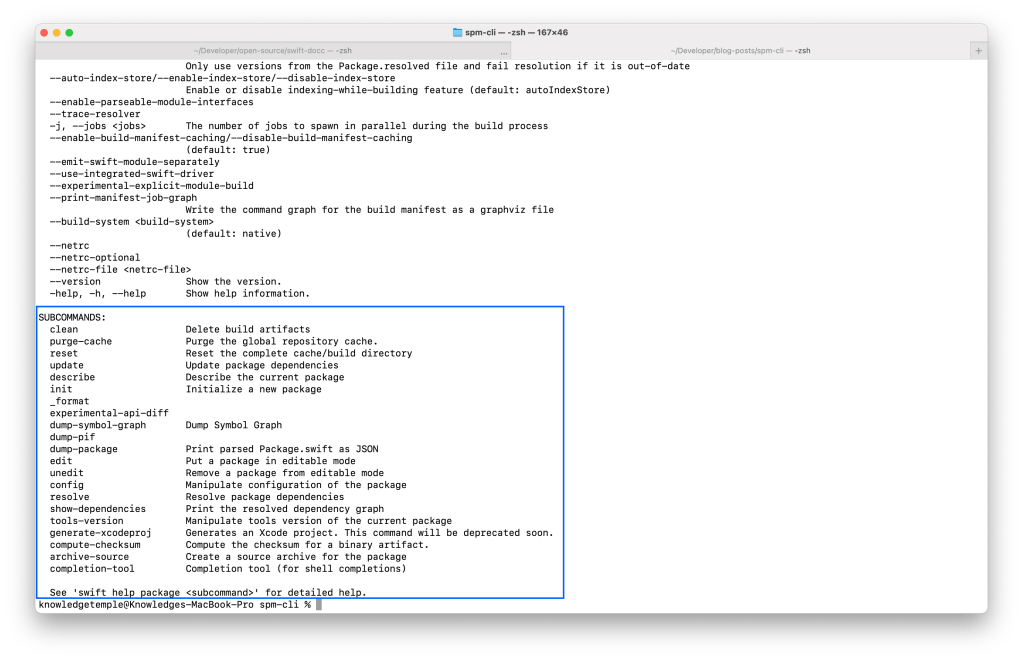
swift packageCreating an executable
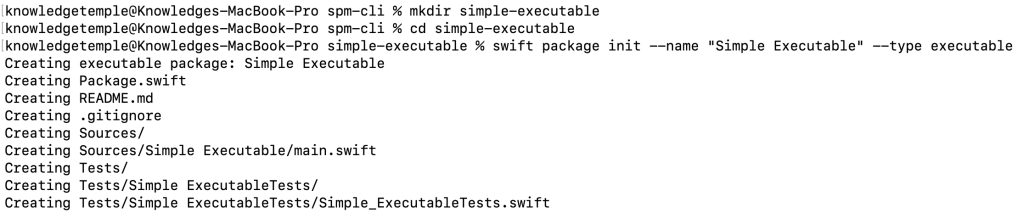
Besides libraries, a Swift Package can produce executables too. This is how the Swift project creates its command-line programs (e.g: docc, swift-driver). To create an executable package, we need to type the following in the terminal (I’m using ZSH):
mkdir simple-executable
cd simple-executable
swift package init --name "Simple Executable" --type executable

# If you wish to see other options available, type `swift package --help`
This will initialize a package with an executable target:
Here’s what the manifest looks like:
// swift-tools-version:5.5

import PackageDescription

let package = Package(
    name: "Simple Executable",
    dependencies: [],
    targets: [
        .executableTarget(
            name: "Simple Executable",
            dependencies: []),
        .testTarget(
            name: "Simple ExecutableTests",
            dependencies: ["Simple Executable"]),
    ]
)
Building
To build our package, we use the swift build command:

Use the swift package clean command to clear the build caches.
Running
Running the executable is simple, simply type swift run:

Resolving & updating dependencies
Let’s first include a dependency in our manifest:
let package = Package(
    // ...
    dependencies: [
        .package(url: "https://github.com/apple/swift-argument-parser", from: "1.0.0"),
    ],
    targets: [
        .executableTarget(
            name: "Simple Executable",
            dependencies: [
                .product(name: "ArgumentParser", package: "swift-argument-parser")
            ]),
    // ...
    ]
)
With this dependency now declared, we can use the following commands:
swift package resolveto resolve the dependenciesswift package show-dependenciesto show the currently resolved dependenciesswift package updateto update the dependenciesswift package resetto reset the cache and build directories

Releasing
Unfortunately, the swift package command doesn’t explain how we can build an executable for release. You can find this information in the GitHub repository. Here’s how it works:
- Use
swift build -c releaseto build the executable using the release configuration - The built executable lives inside the .
build/releasefolder. We can invoke it directly from there: type.build/release/Simple\ Packageto see what happens.
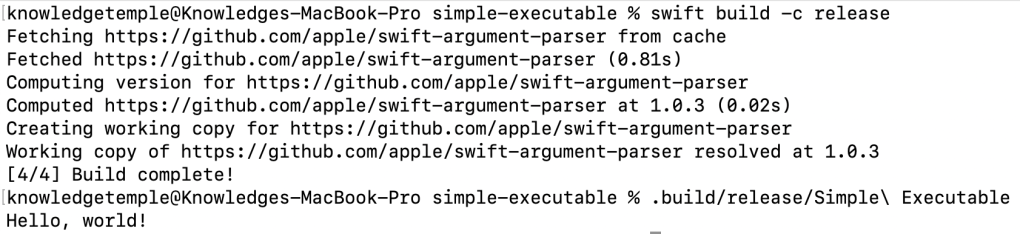
Invoking it from ZSH
We can include the executable in one of the folders used in the $PATH variable. This allows ZSH to find and run the executable we created. Type the following in your terminal:
echo $PATH, this will display the folders separated by colon characters (:)- Rename the executable to an invokable name:
mv .build/release/Simple\ Executable ./say-hello- If
/usr/local/bindoesn’t exist, create it with this command:sudo mkdir /usr/local/bin sudo mv ./say-hello /usr/local/bin
- Now we can simply invoke our command by typing
say-hello

Conclusion
SPM is a powerful program capable of managing dependencies and building libraries and executables. It is a key component of the Swift project, supporting the usage of the language in different operating systems.
In this article, we saw how we can create a trivial package that builds an executable. We also explored the main SPM commands, and how we can invoke our executables directly from the terminal’s $PATH variable.

 Tiago Lopes